
Blog
RELX Device Not Charging: Common Causes and Checks


RELX Device Not Charging: Common Causes and Checks
Is your RELX device not charging when you connect it to a power source? A charging problem can be frustrating, especially when you are unsure whether the issue comes from the cable, charging port, power adapter, or the device itself. Fortunately, some basic checks can help you identify possible causes without opening the device or attempting an unsafe repair.
RELX devices come in different models, and their charging methods, indicator lights, and battery features may vary. Therefore, it is important to follow the instructions designed for your specific model rather than assuming every device works in exactly the same way.
In this guide, we explain the common reasons a RELX device may not charge, how to check its charging accessories, what warning signs to look for, and when professional support may be necessary.
Why Is My RELX Device Not Charging?
Several factors can prevent a RELX device from charging correctly. Before assuming that the battery has failed, check the charging accessories and power connection.
Common causes include:
- A damaged or incompatible charging cable
- A faulty power adapter or USB power source
- Dust or visible damage around the charging port
- An unsuitable charging environment
- A depleted or deteriorating battery
- Internal damage caused by a drop or liquid exposure
Not every charging problem requires a replacement device. However, repeated charging failures should not be ignored, particularly when the device shows signs of physical damage or unusual heating.
1. Check the RELX Charging Cable

A damaged cable is one possible reason a RELX device may not receive power. A cable can appear normal on the outside but still have a loose connector or an internal fault.
Start by examining the cable for visible damage. Look for frayed insulation, bent connectors, loose fittings, or other signs of wear.
If the cable appears damaged, stop using it and replace it with a suitable, manufacturer-approved alternative.
You can also check whether the connection is secure at both ends. A loose connection may interrupt charging, even when the power source is working correctly.
What to check:
- Inspect the cable and connectors for damage.
- Make sure the cable fits securely into the charging port.
- Use a compatible cable recommended for your RELX model.
- Avoid repeatedly bending or twisting the cable near its connectors.
If the device still does not charge with a suitable, known-working cable, continue with the next checks.
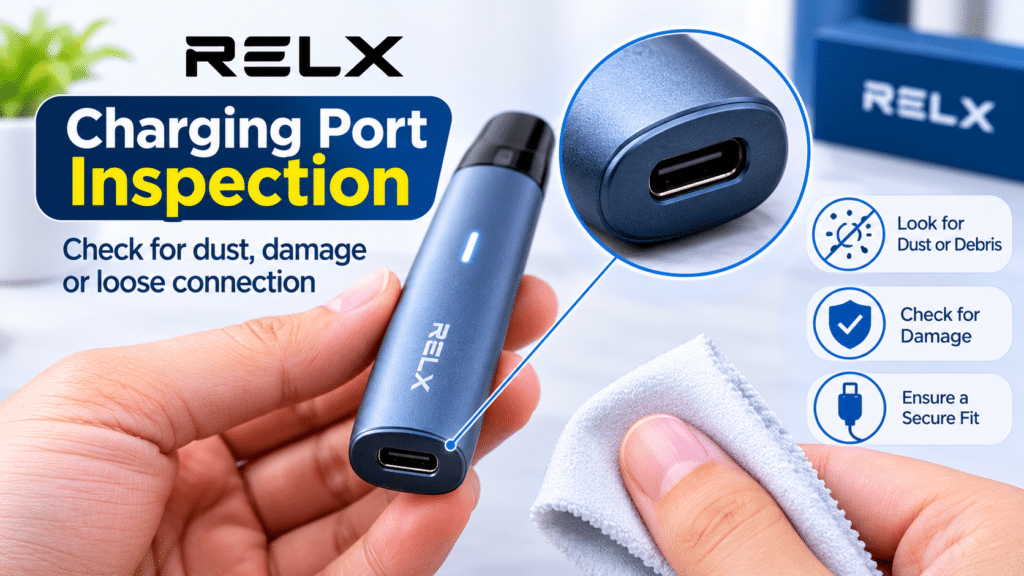
2. Inspect the Charging Port
The charging port is another area worth checking when a RELX device fails to charge.
Dust, lint, or visible debris around the port may interfere with the connection. A damaged or loose port can also prevent the device from receiving power.
Disconnect the device from the power source and inspect the port under good lighting. Look for visible debris, corrosion, bent components, or signs of physical damage.
Do not insert needles, pins, metal objects, or other sharp tools into the port. Avoid pouring liquids into the opening or applying household cleaning products.
If debris is visible inside the port and cannot be removed safely according to the manufacturer’s instructions, seek professional assistance rather than attempting to clean the internal contacts yourself.
A port that feels loose or has visible damage should also be checked by an appropriate service provider.
3. Check the Power Adapter and USB Source
Sometimes the RELX device is not the problem. The power source or adapter may be unable to provide a suitable connection.
If you are using a USB wall adapter, check that it is functioning correctly and is suitable for your device. You can also inspect the power outlet and cable connection.
Avoid using damaged, uncertified, or unsuitable charging accessories. Do not assume that every fast charger is appropriate for every RELX model.
Try a compatible power source that follows the manufacturer’s recommendations. If the device begins charging normally, the original adapter, cable, or outlet may have been responsible for the problem.
If it still does not charge, disconnect it and continue troubleshooting.
Never leave a charging device unattended if it shows unusual heating, emits an unusual smell, or behaves abnormally.
4. Understand the RELX Indicator Light
Many RELX devices use indicator lights to communicate charging status, battery condition, or possible errors. However, the meaning of a light can vary between models and generations.
For this reason, a particular colour or blinking pattern should not automatically be interpreted as a battery failure.
If your device has an indicator light, observe what happens when you connect the charging cable. Check whether the light appears, changes, blinks, or remains off.
Then compare that behaviour with the instructions for your exact RELX model.
If the indicator does not respond, possible explanations include a depleted battery, a faulty charging connection, an unsuitable power source, or an internal device issue. The light alone may not be enough to identify the cause.
Important: Do not rely on indicator-light instructions intended for another RELX model. Check the relevant user manual or official support information before deciding what a specific signal means.
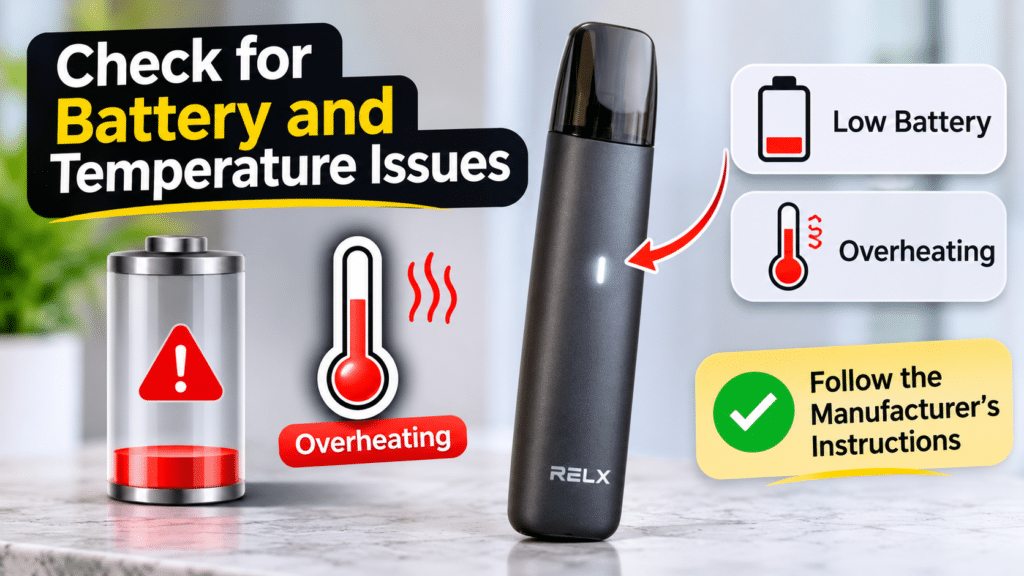
5. Check for Battery and Temperature Issues
A deeply depleted battery may not respond immediately when connected to a power source. However, a device that remains unresponsive after following the manufacturer’s charging instructions may have a more serious problem.
Temperature can also affect rechargeable batteries. Leaving a device in direct sunlight or inside a hot vehicle can expose it to conditions that interfere with normal operation or damage its battery.
If the device has been exposed to unusually hot or cold conditions, disconnect it from the power source and allow it to return naturally to an environment within the manufacturer’s recommended temperature range.
Do not place it in a refrigerator, near a heater, or under direct sunlight to change its temperature quickly.
Watch for warning signs such as swelling, leakage, unusual heat, or an abnormal smell. If any of these occur, stop using and charging the device. Do not open it or attempt to replace the internal battery yourself.
If the device repeatedly loses charge or fails to hold power despite using suitable accessories, professional assessment may be necessary.
6. Check for Physical Damage or Liquid Exposure
A RELX device may develop charging problems after being dropped, exposed to water, or subjected to repeated physical stress.
Inspect the exterior for cracks, dents, loose components, or other visible damage. Check whether the charging port appears misaligned or damaged.
If liquid has entered the device, disconnect it from the power source if this can be done safely. Do not continue charging it to see whether it still works.
Avoid using a hair dryer or another direct heat source to dry the device. Do not open the casing, as this can expose internal components and the battery.
If the device has suffered liquid exposure or significant physical damage, contact the manufacturer or an appropriate service provider for advice.
7. Follow the Correct Charging Procedure
Different RELX models may have different charging requirements. Before connecting your device, confirm the correct procedure in its user manual.
Follow these general precautions:
- Use a compatible cable and charging accessory.
- Connect the cable securely without forcing it into the port.
- Keep the device and charging accessories dry.
- Charge the device in a suitable environment.
- Follow the recommended charging instructions for your model.
- Disconnect the device if it becomes unusually hot or behaves abnormally.
Do not attempt to bypass charging protection, modify the battery, or repair internal electrical components.
If the device does not respond after you have checked the cable, power source, charging port, and temperature, consult the official instructions for further troubleshooting.
Common RELX Charging Problems and What They May Mean
The following table summarises common symptoms and the checks worth making.
| Symptom | Possible Cause | Recommended Check |
|---|---|---|
| No indicator light when connected | Power connection issue, depleted battery, or internal fault | Check the cable, power source, and model-specific instructions |
| Charging starts and stops | Loose connection, damaged cable, or port problem | Inspect the cable and port for visible damage |
| Device charges slowly | Power source or cable issue, or battery deterioration | Use suitable charging accessories recommended by the manufacturer |
| Device becomes unusually hot | Battery, charging, or internal fault | Stop charging and seek appropriate support |
| Device does not hold its charge | Battery deterioration or internal problem | Follow the official troubleshooting procedure |
| Charging fails after liquid exposure | Possible internal moisture or electrical damage | Do not charge the device; contact support |
These symptoms are possible indicators rather than definitive diagnoses. A single symptom can have several causes, so avoid replacing a device or accessory without first checking the available evidence.
When Should You Contact RELX Support?
Basic troubleshooting may resolve some charging issues, but not every problem can be fixed safely at home.
Contact the manufacturer or an appropriate service provider if:
- The device remains unresponsive after the recommended checks.
- The charging port is damaged or loose.
- The device repeatedly stops charging.
- The battery no longer holds a charge.
- The device has been exposed to liquid.
- You notice swelling, leakage, an unusual smell, or excessive heat.
Do not dismantle the device or attempt an internal battery replacement. If the product is still covered by a warranty, unauthorised repairs may affect your eligibility for service.
Keep your model information and proof of purchase available when requesting assistance. These details can help the support team identify the correct troubleshooting procedure.
For additional product information, you can explore the relevant RELX device and accessory categories on TereaPoint, where available.
Frequently Asked Questions
Why is my RELX device not charging?
Possible reasons include a damaged cable, a faulty power source, debris around the charging port, unsuitable temperature conditions, battery deterioration, or internal damage. Check the charging accessories first and follow the instructions for your specific model.
How do I know if my RELX charging cable is faulty?
Look for frayed insulation, bent connectors, loose fittings, or other visible damage. If the cable is damaged, stop using it. Where appropriate, test with a compatible cable recommended by the manufacturer.
Why does my RELX device show no charging light?
A missing indicator may be related to the power connection, a depleted battery, or a device fault. Indicator behaviour varies between models, so check the relevant user manual before interpreting the signal.
Can I use any USB charger for a RELX device?
No. You should use charging accessories that are compatible with your specific model and follow the manufacturer’s recommendations. Do not assume that every USB adapter or fast charger is suitable.
What should I do if my RELX device becomes hot while charging?
Disconnect it from the power source if it is safe to do so and stop using it. Allow it to cool naturally in a safe location. If it becomes excessively hot, swells, leaks, or develops an unusual smell, do not charge it again. Contact the manufacturer or an appropriate service provider.
Final Thoughts
A RELX device that will not charge may have a simple connection problem, but the cause can also involve the charging port, battery, or internal components.
Start by checking the cable, power source, and visible condition of the charging port. Pay attention to indicator lights, temperature conditions, and signs of physical damage. Always follow the instructions for your specific RELX model rather than relying on general advice intended for another device. If the device remains unresponsive, becomes unusually hot, or shows signs of battery damage, stop troubleshooting and seek appropriate support.