
Blog
Cleaning and Maintaining Your IQOS ILUMA Device


Cleaning and Maintaining Your IQOS ILUMA Device: A Comprehensive Guide
The cleaning and maintenance procedures for the IQOS ILUMA differ from those of older IQOS models. It utilizes “blade-free” induction heating technology, which eliminates the need for the regular internal cleaning required by older models equipped with heating blades. However, you can avoid common issues by taking care of the charging port, protecting the device from moisture, and storing it properly.
Regardless of whether you use an IQOS ILUMA, ILUMA ONE, ILUMA PRIME, or a model from the ILUMA i series, it is essential to understand the correct maintenance procedures. Using improper cleaning tools or attempting to disassemble the device can cause damage.
In this guide, we will discuss how to care for your IQOS ILUMA device, which cleaning methods to avoid, how to protect the battery, and what steps to take if you encounter common issues related to charging or performance.
Does the IQOS ILUMA require cleaning?
Unlike older IQOS models that feature a heating blade, the IQOS ILUMA utilizes the “SMARTCORE INDUCTION SYSTEM.” This is a blade-free heating technology designed specifically for use with compatible “SMARTCORE STICKS.”
Because of this design, the interior of the device does not require regular cleaning. The system is engineered to minimize the accumulation of tobacco residue inside the holder during normal use.
However, this does not mean the device requires no attention at all. Dust can accumulate around the charging port, fingerprints may appear on the exterior, and the device could potentially be damaged by heat, moisture, or physical impact.
Therefore, rather than focusing on cleaning the inside of the holder, prioritize keeping the exterior of the device clean, checking the charging connections, and following the maintenance guidelines provided by the manufacturer.
If you are exploring compatible devices, visit the IQOS ILUMA device collection to review the models available at TereaPoint.

How to Maintain IQOS ILUMA Devices Properly
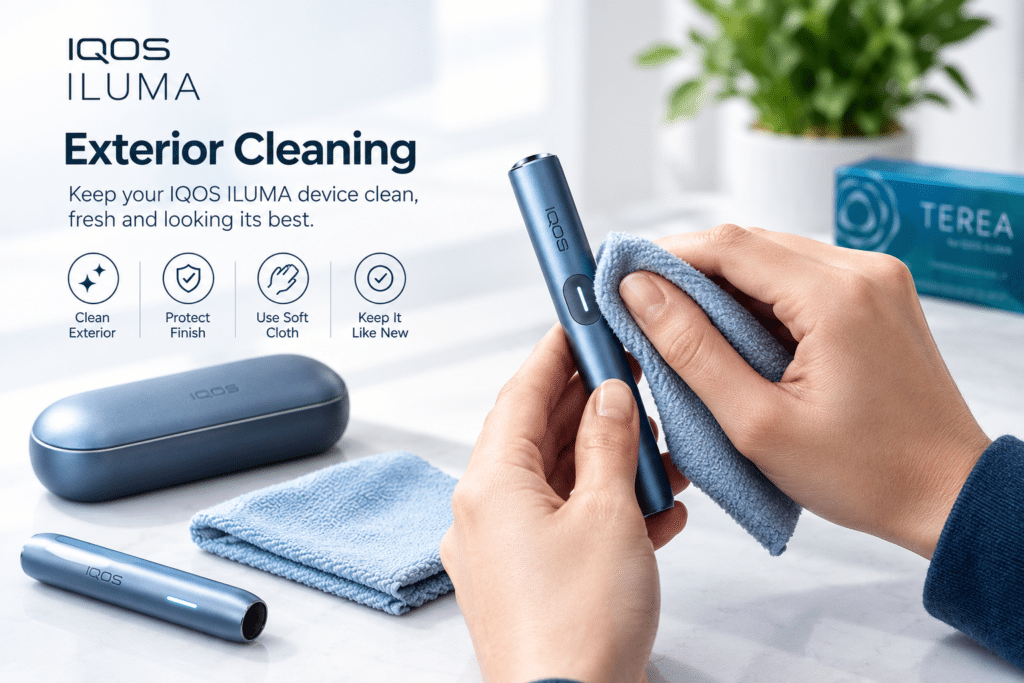
1. Keep the Exterior Clean
The outer surface of your IQOS ILUMA holder and Pocket Charger can collect fingerprints, dust, and everyday dirt.
To maintain the exterior:
- Switch off the device before handling it for cleaning.
- Disconnect the charger from the power supply before cleaning its exterior.
- Use a soft, dry cloth to wipe the outside of the device.
- Avoid applying excessive pressure around buttons, seams, and covers.
- Make sure the device is completely dry before charging or using it.
Do not spray water or cleaning products directly onto the device. Avoid abrasive materials that could scratch the surface or damage its finish.
If your model includes a removable decorative cover or wrap, follow the specific instructions provided for that accessory. Different materials may require different care methods.
2. Do Not Clean Inside the Holder
One of the most important IQOS ILUMA maintenance rules is to avoid unnecessary internal cleaning.
Older blade-based IQOS devices may require specialized cleaning because tobacco residue can accumulate around the heating blade. The ILUMA system works differently, so those older cleaning methods should not automatically be applied to it.
Avoid the following actions:
- Inserting cotton buds or brushes into the holder.
- Scraping the internal surface with a sharp object.
- Pouring water or cleaning liquid into the holder.
- Using alcohol, solvents, or household cleaning chemicals inside the device.
- Attempting to remove internal components.
These actions may damage the device or interfere with its operation. If a used SMARTCORE STICK becomes stuck or breaks, do not force it out with sharp tools. Stop using the device and consult the official support instructions for your specific model.
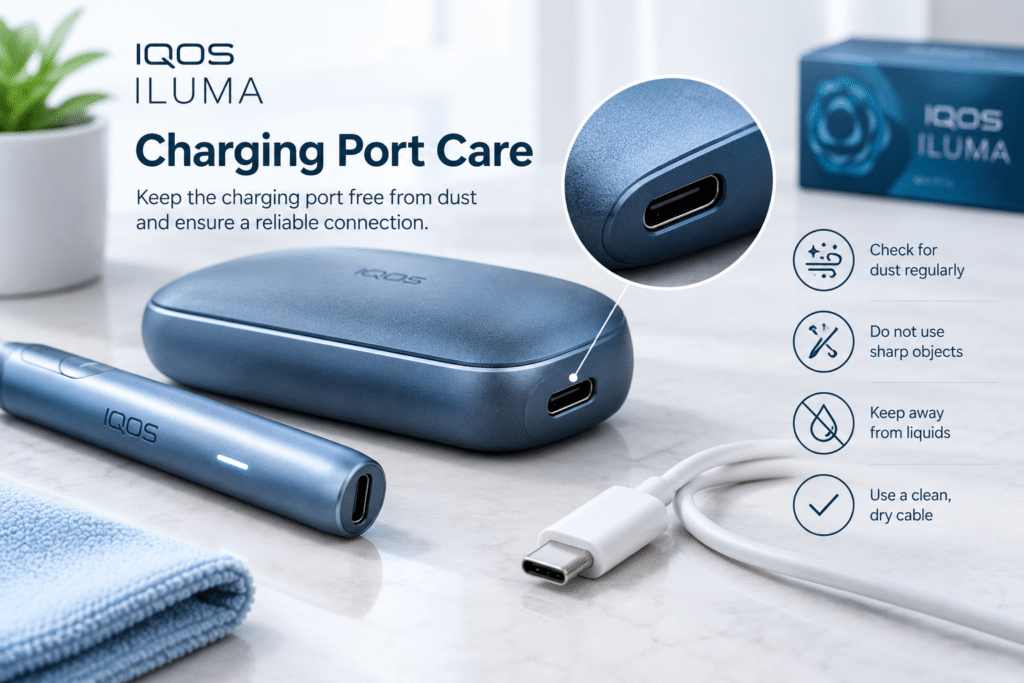
3. Keep the USB Charging Port Free from Dust
The charging port deserves particular attention because dust or foreign material may interfere with the connection.
Inspect the USB port periodically in a well-lit area. If you notice visible dust, follow the manufacturer’s instructions for removing it. Official IQOS guidance for applicable ILUMA models recommends gently blowing to clear loose dust from the USB port.
Never insert metal objects, pins, needles, or other sharp tools into the port. Do not pour liquid into it or use cleaning chemicals.
Before connecting a charging cable, check that the port is free from visible foreign material and that the cable connector is dry and undamaged.
If the port appears damaged, the cable does not fit properly, or charging remains unreliable, contact official support rather than attempting a repair yourself.
4. Clean the Holder and Pocket Charger Contact Areas
Two-piece IQOS ILUMA models have a separate holder and Pocket Charger. The connection areas should be kept in good condition to support reliable charging.
If the holder is not charging correctly, first check that it is positioned properly inside the Pocket Charger.
Where the manufacturer recommends cleaning the external contact areas, use a soft, dry cloth. Do not apply liquid or scrape the contacts with a tool.
Make sure the holder and charger are dry before reconnecting them. If the device still does not charge after checking the connection, follow the troubleshooting instructions for your particular model.
The all-in-one IQOS ILUMA ONE has a different design, so care instructions for a separate holder and Pocket Charger may not apply to it.
How to Preserve the Battery Life of Your IQOS ILUMA
Proper charging habits and appropriate storage conditions help maintain the health of your device’s rechargeable battery over time. While battery capacity naturally diminishes with use, you can prevent unnecessary degradation by keeping the device away from excessive heat and humidity.
Use Compatible Charging Adapters and Cables
Always use charging accessories or equipment approved for your specific IQOS ILUMA model. Before using any other adapter or cable, consult the manufacturer’s instructions.
Do not use cables that are frayed, damaged, or have loose connectors. Avoid charging the device if its charging port appears wet or visibly damaged.
If the device does not respond immediately after being connected to a power source, wait a few moments for the charging indicators to appear (refer to the official troubleshooting guide for further details).
Keep Away from Excessive Heat
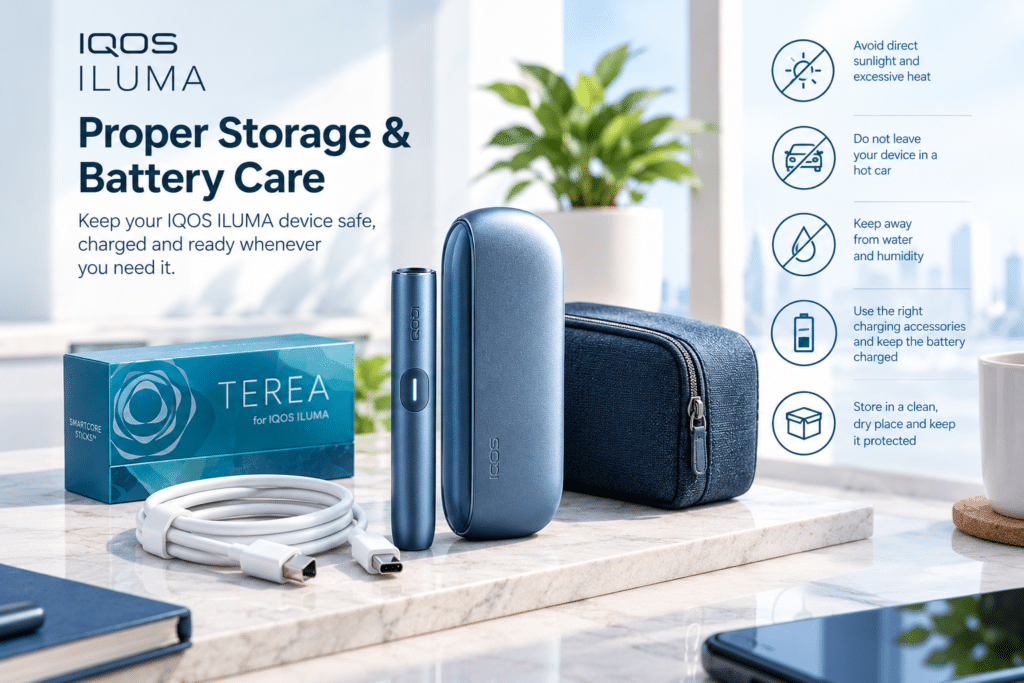
In the context of the United Arab Emirates (UAE), heat is a critical factor; temperatures inside a parked car can become significantly higher than the outside temperature.
Observe the following precautions:
- Do not leave the device inside a parked car during hot weather.
- Avoid placing the device in areas exposed to direct sunlight for extended periods.
- Keep the device away from heaters or any other equipment that generates heat.
- Do not charge or store the device outside the temperature range specified by the manufacturer.
According to official IQOS guidelines, the operating temperature range for the standard ILUMA series devices is approximately 0°C to 40°C. For other models, please consult the documentation or guidelines specific to that model before applying these instructions. Keep away from water and moisture
Ensure that the IQOS ILUMA device and its charging accessories do not come into contact with any liquids. Keep the device away from sinks, damp areas, rain, and environments with high humidity.
If the device gets wet, do not connect it to the charger or continue using it. Follow the manufacturer’s safety guidelines and contact customer support if necessary.
Never use a hair dryer, heater, or any direct heat source to dry the device.
How to store your IQOS ILUMA in the United Arab Emirates (UAE)
Proper storage is essential when carrying your IQOS ILUMA device, whether you are traveling or on the go.
Choose a location that is clean, dry, and protected from direct sunlight. When carrying the device in a bag or pocket, keep it away from items such as keys, coins, or other objects that could scratch the surface or damage the charging port.
Always keep the holder and the Pocket Charger together, and take care to ensure they are not dropped onto hard surfaces.
Store compatible SMARTCORE STICKS™ in their original packaging, in a cool, dry place. Do not use any sticks that have been exposed to excessive heat or moisture.
If you plan not to use the device for an extended period, follow the manufacturer’s instructions regarding battery storage and charging for your specific model.
Common IQOS ILUMA Problems and What to Check
Some problems that appear to require cleaning may actually be related to charging, temperature, or device settings.
The Device Is Not Charging
Check whether the charging cable and adapter are connected correctly. Inspect the USB port for visible dust or damage and try a compatible charging accessory if the manufacturer recommends doing so.
For two-piece models, check the holder’s position and the external contact areas. If the device still does not charge, consult official troubleshooting guidance.
The Holder Shows a Red Blinking Light
On applicable original IQOS ILUMA models, a red blinking holder light may indicate that the device needs to be reset.
Follow the reset procedure for your exact model. Do not attempt to open the holder or remove its battery. If resetting does not resolve the issue, contact official support.
The Device Shows Temperature Warnings
If the device has been exposed to very hot or cold conditions, move it to an environment within the manufacturer’s recommended operating temperature range.
Allow it to return to a suitable temperature before trying again. Avoid using external heating or cooling methods to change its temperature quickly.
The Device Does Not Start Automatically
Check that you are using compatible SMARTCORE STICKS and inserting them in the correct direction. Some models also offer settings that affect automatic start.
If the problem continues, consult the relevant user guide before attempting a reset or changing device settings.
For additional help, refer to the official IQOS ILUMA support and FAQ information.
Five Mistakes to Avoid When Maintaining IQOS ILUMA
Keeping your device in good condition does not require complicated cleaning routines. Avoid these common mistakes:
- Using old IQOS cleaning methods: Blade-based models have different maintenance requirements.
- Inserting objects into the holder: Brushes, pins, and other tools may damage internal components.
- Using cleaning liquids: Liquids and chemical cleaners may damage the device or its electrical components.
- Ignoring charging-port debris: Foreign material can interfere with the charging connection.
- Leaving the device in a hot car: Excessive heat can damage the battery and electronic components.
If the device is damaged, repeatedly malfunctions, or becomes unusually hot, stop using it and seek appropriate support.
Frequently Asked Questions About IQOS ILUMA Maintenance
How often should I clean my IQOS ILUMA?
IQOS ILUMA devices do not require routine internal cleaning like older blade-based IQOS models. Check the exterior and charging port periodically, and follow the official maintenance instructions for your model.
Can I use an IQOS cleaning tool on an ILUMA device?
Do not assume that cleaning tools designed for older IQOS models are suitable for ILUMA. The ILUMA system does not require routine internal cleaning. Use only manufacturer-approved accessories for tasks specifically recommended in your model’s instructions.
Can water damage an IQOS ILUMA device?
Yes. The device and its charging accessories should not be exposed to liquids. Keep them dry, and never connect a wet device to a power supply.
Why is my IQOS ILUMA not charging properly?
Possible causes include a depleted battery, a damaged cable, debris in the charging port, an unsuitable temperature, or a connection problem. Check these factors safely and consult official troubleshooting guidance if the issue continues.
How should I store IQOS ILUMA in hot weather?
Keep it in a cool, dry place away from direct sunlight and excessive heat. Avoid leaving it inside a parked vehicle, particularly during hot UAE weather.