
Blog
How to Use a JUUL Device

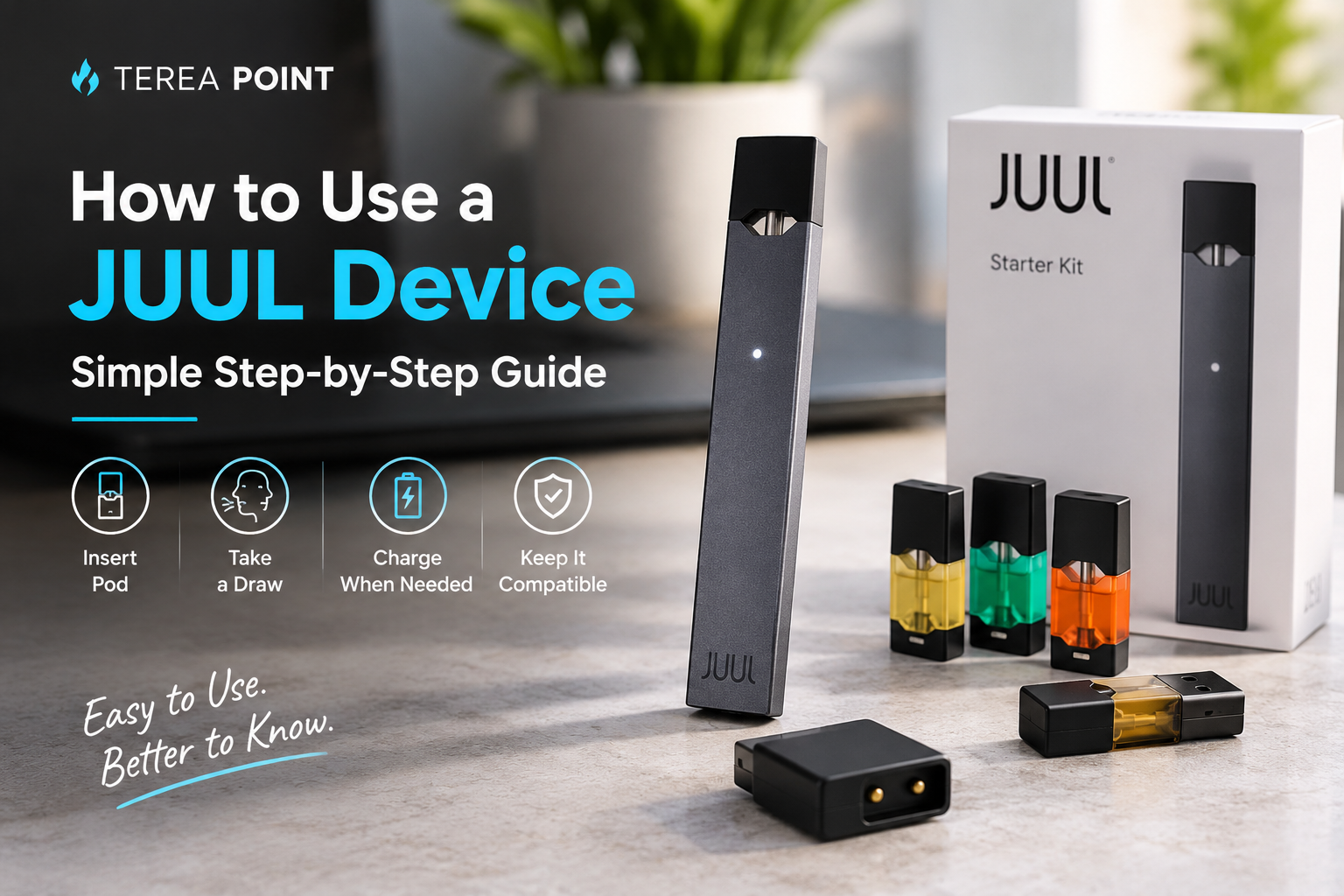
How to Use a JUUL Device: Simple Step-by-Step Guide
If you have never used a ‘pod-based’ vape before, using a JUUL device might feel a bit different. Although the setup process is quite simple, there are a few minor details worth noting, particularly regarding the pod, the battery, and the device generation.
A JUUL system essentially consists of a rechargeable electronic device and a pod pre-filled with liquid, or ‘e-liquid’. The pod contains nicotine-infused e-liquid, and the battery powers its internal heating system. JUUL describes its products as ‘closed-system’ devices; this means the cartridges are not designed to be refilled. If you are an adult who already uses nicotine-containing products and want to know how JUUL works, this guide explains its basic operation in simple terms.
Before You Start

Arctic Breeze JUUL2 Pods
It is advisable to check two things before inserting the pod into the device. First, ensure that the battery has sufficient charge. If the battery level is very low, the device may not start up correctly.
Second, make sure the cartridge is compatible with your device model. Original JUUL pods and JUUL 2 pods are not interchangeable. The JUUL 2 uses a proprietary pod system that includes a ‘Pod ID’ feature, which verifies the cartridge before the device activates. This simple check can save you from buying or fitting the wrong cartridge.
Getting the Pod Ready
Remove the sealed cartridge from the packaging and inspect it thoroughly before installation. Do not use the cartridge if it appears damaged, cracked, or is leaking.
The JUUL pod comes pre-filled with liquid, so there is no need to fill it separately. The company states that its cartridges are designed as a ‘closed system’ rather than a refillable tank.
Keep the mouthpiece clean and avoid touching the connection area unnecessarily.
Putting the Cartridge Into Your JUUL
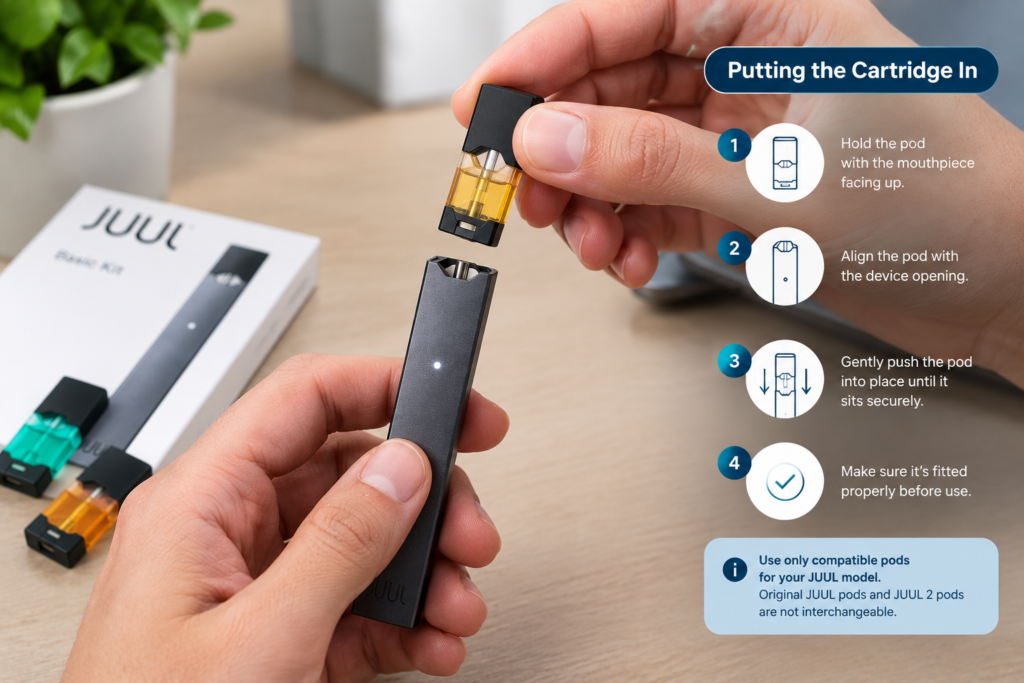
Hold the main unit upright and position the pod directly above the opening.
Gently press the cartridge into place until it is properly seated. Do not force it if it does not fit easily. Pods from other JUUL generations may not function correctly.
With the JUUL 2, the device also verifies the pod’s identification system. This means that using a compatible and recognized cartridge is essential for proper operation.
Once everything is seated properly, the device is ready for use.
How the JUUL Activates
One of the most notable features of the JUUL’s design is its ease of use. It lacks a traditional power button that needs to be pressed with every draw.
The device is engineered to activate automatically when you inhale through the mouthpiece. The JUUL user manual describes its primary operating mechanism as “draw-activated.”
Use the device according to the manufacturer’s instructions and do not attempt to alter its settings or internal components. If there is no response, check the battery level and pod connection first.
What Happens During a Session?
Once activated, its internal heating system heats the liquid inside the cartridge and generates an aerosol.
Unlike conventional cigarettes, it involves no flame or tobacco combustion. JUUL Labs describes its system as an electronic nicotine delivery device that uses nicotine-containing “pods.”
Furthermore, there is no need to adjust wattage, temperature, or airflow on a standard JUUL device. The main controls are therefore quite straightforward: keep the unit charged, use the correct cartridge, and follow the product instructions.
How to Tell When the Battery Needs Charging
The JUUL device requires regular charging, as its internal battery powers the heating system. If the device fails to activate despite the cartridge being properly inserted, the first step is to check if the battery charge has run low.
Charging mechanisms may vary across different generations of JUUL models. Therefore, do not assume that all JUUL products use the same type of connection; instead, use the specific charger or charging accessory designed for your particular model. The original JUUL system was supplied with a dedicated USB charging dock in earlier product configurations.
Charging Your Device
Place the device on the designated charging accessory and connect it to a suitable power source. Keep the charging area dry and use compatible equipment. Do not attempt to open the battery compartment or repair the internal electronics yourself. Once sufficiently charged, remove the unit from the charging setup and check if it is functioning normally.
For exact charging indicators and timing, the instructions supplied with your particular model should take priority because hardware versions can differ.
When Should You Replace the Pod?
A pod is not designed for indefinite use.
As the e-liquid runs low, you may notice that the cartridge no longer produces the expected amount of aerosol (vapor). Such a change in performance may indicate that the cartridge needs to be replaced.
Do not attempt to refill sealed JUUL cartridges. JUUL Labs designates its pods as ‘closed-system’ cartridges, which are not designed to be refilled.
When a cartridge is empty or damaged, replace it with a suitable new one.
A Common Mistake: Mixing JUUL Generations
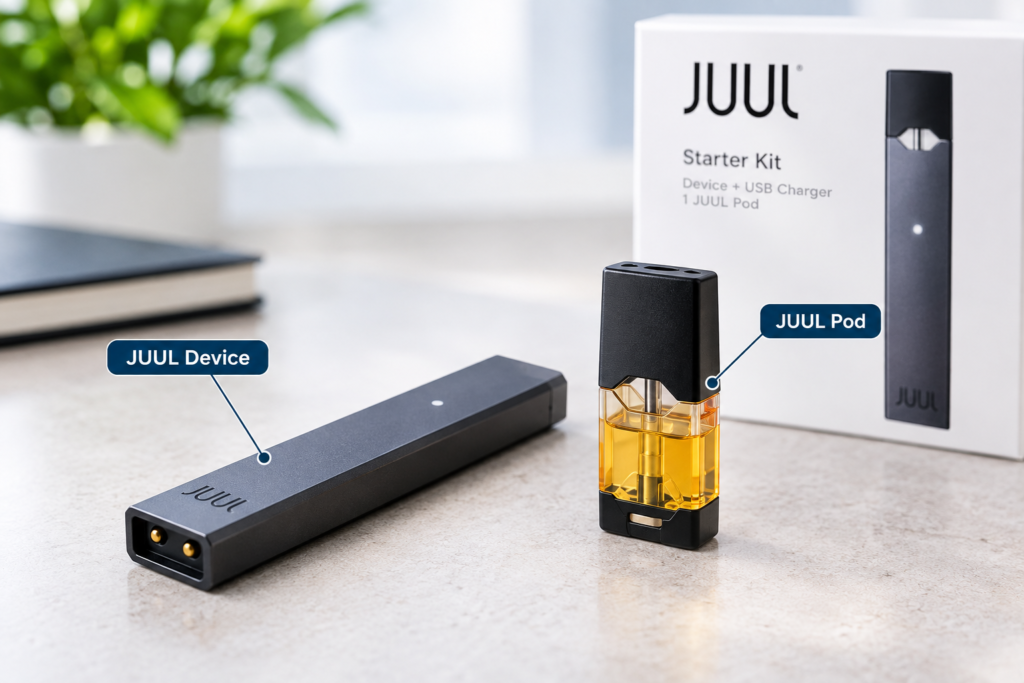
This is one of the most important points for anyone shopping for JUUL products.
Authentic JUUL pods are designed for the original JUUL system, whereas JUUL 2 cartridges belong to the JUUL 2 platform.
These two systems should not be considered interchangeable. According to current information regarding JUUL 2, the new cartridges are specifically designed for the JUUL 2 device, and the system utilizes a ‘Pod ID chip’ for authentication purposes.
So, before ordering replacement pods, check the exact name of your device.
If the product listing says JUUL 2, look for pods specifically marked for that generation.
What If Your JUUL Is Not Working?
A non-working device does not always mean the hardware has failed.
Try these basic checks:
Check the battery:
A low charge can prevent normal activation.
Look at the pod:
Make sure it is seated properly and does not show signs of damage or leakage.
Confirm compatibility:
An original cartridge should not be assumed to work with JUUL 2, and vice versa.
Inspect the connection area:
Keep the contact points dry and free from liquid or debris.
Try a compatible replacement:
If the cartridge appears empty or faulty, replacing it may identify whether the issue is with the pod rather than the device.
If the problem continues, avoid opening the unit or attempting an electrical repair.
Keeping Your JUUL in Good Condition
Proper storage helps avoid common issues.
Keep the device away from excessive heat, moisture, and direct sunlight. Avoid carrying it uncovered alongside items that could damage the mouthpiece or charging port.
Wipe the exterior with a clean, dry cloth if necessary. Do not allow water or any cleaning fluid to enter the device.
For a pod, check for leakage before fitting it. If liquid gets onto the device, stop using it until the affected area has been properly dealt with.
Original JUUL or JUUL 2?
It is not possible to determine compatibility or suitability based solely on the name.
JUUL 2 represents a distinct generation, featuring its own device and cartridge system. According to current product information, a key feature of this new platform is ‘Pod ID authentication.’
This means that consumers should pay attention to the full name displayed on the packaging or the product listing.
If you already own a device, identify that model first. Then select accessories or replacement pods made for the same system.
This is particularly useful when shopping online in Dubai or elsewhere in the UAE, where product listings can include both generations.
Simple JUUL Checklist
Before using your device, remember these points:
- Check that the battery has enough charge.
- Use a cartridge designed for your exact model.
- Make sure the pod is properly seated.
- Never try to refill a sealed cartridge.
- Keep the unit dry and clean.
- Replace damaged or empty pods.
- Do not open or modify the internal electronics.
- Keep nicotine products away from children and pets.
- Follow the instructions supplied with your particular model.
Frequently Asked Questions
How do I use a JUUL device?
After checking the charge and fitting a compatible pod, the device is designed to activate when you draw through the mouthpiece. There is no need to operate a traditional firing button on the original JUUL system.
Do JUUL pods fit JUUL 2?
No. The original JUUL and JUUL 2 use separate cartridge systems. JUUL 2 pods are designed specifically for the JUUL 2 device and include an identification system used by the newer platform.
Can JUUL pods be refilled?
No. JUUL Labs describes its cartridges as closed-system pods that are not designed to be refilled.
Why is my JUUL not working?
Start with the simplest checks: battery level, pod placement, cartridge condition, and model compatibility. If the unit still does not respond, consult the instructions for your specific device instead of opening or modifying it.
How do I charge a JUUL?
Charging depends on the generation and hardware version. Earlier original JUUL systems used a dedicated USB charging dock. Use the charging accessory supplied or specified for your exact model.
Final Thoughts
JUUL does not require complex controls for initial setup or use. The key aspects involve connecting the cartridge, charging the battery, and understanding compatibility across different generations. For JUUL users in Dubai or the UAE, it is crucial to identify the correct device before purchasing replacement pods. The original JUUL and JUUL 2 are distinct systems; therefore, selecting the correct cartridge helps avoid unnecessary compatibility issues. As these products contain nicotine, they are intended solely for use by adults who already use nicotine or tobacco products. Individuals who do not currently use nicotine should not start using them.